Icon of program: Graffiti

Graffiti APK for Android

  • Free
  • 3.8
    10
  • 7.9K
  • V2.0.4
Free Download for Android

View an ad to download for free

Innovative Handwriting Keyboard for Android Users

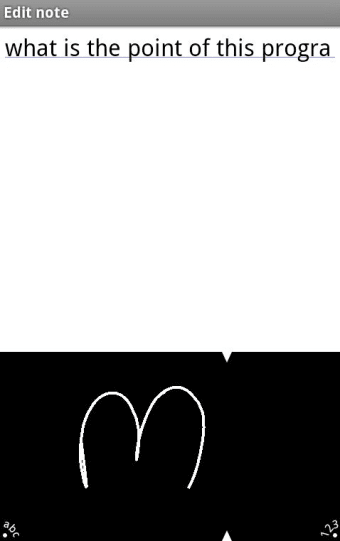
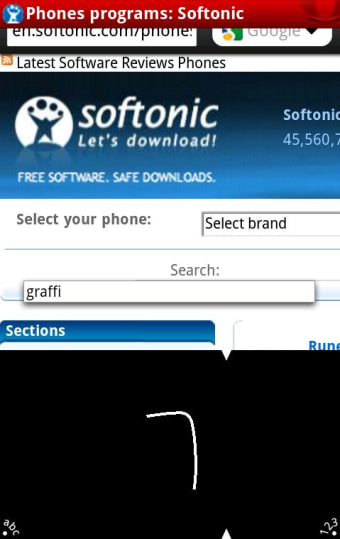
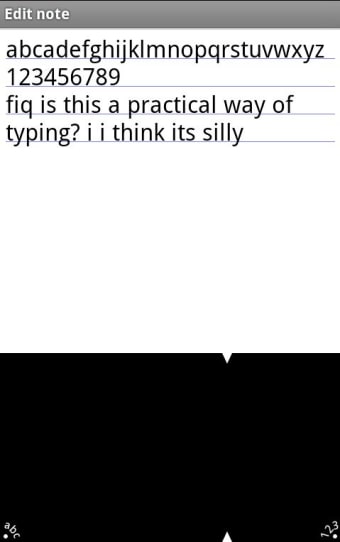
Graffiti is a unique keyboard replacement for Android devices that employs a stroke-based handwriting recognition system, reminiscent of the input method popularized by Palm PDAs. This application allows users to input text by drawing simplified characters, significantly enhancing typing speed and accuracy. With support for both English and Japanese, Graffiti caters to a diverse user base. Additionally, the application includes features like auto-capitalization and word learning, making it adaptable to individual typing habits.

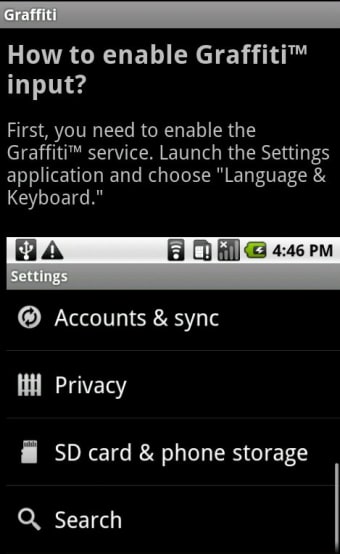
Designed for ease of use, Graffiti provides text and numeric input areas to ensure accurate recognition of drawn strokes. Users familiar with the PalmOS Graffiti input will find the transition seamless, while newcomers can quickly learn through interactive help screens. An advertisement-free upgrade is available with Graffiti Pro, offering further enhancements for dedicated users. Overall, Graffiti presents an efficient alternative to traditional on-screen keyboards.

 0/5

App specs

  • Developer

  • License

    Free

  • Version

    2.0.4

  • Latest update

  • Platform

    Android

    Other platforms (2)
  • OS

    Android 9.0

  • Downloads

    7.9K

    Last month's downloads

    • 7
  • Size

    2.12 MB

  • Download Options

    APK, Google Play

  • Filename

    com-access-company-graffiti-9-32409-c4dcf0c70d76481dfb17daebb6aad21d.apk

Also available in other platforms

Program available in other languages


Icon of program: Graffiti

Graffiti APK for Android

  • Free
  • 3.8
    10
  • 7.9K
  • V2.0.4
Free APK Download for Android

View an ad to download for free


User reviews about Graffiti

3.8

1 reviews

Add review

Main reviews for you

  • Anonymous user

    Graffiti is easy to learn and FAST... much faster than Android typing.. If this works as well as Graffiti on Palm, you can enter characters MUCH faster and more reliably than you can with typing... as fast as you can write, the characters are recognized. When I first learned Graffiti, it took me 3 days to master most of the characters... a couple more days to get all the special characters.

More

You may also like

Alternatives to Graffiti

Explore Apps

Latest articles

Laws concerning the use of this software vary from country to country. We do not encourage or condone the use of this program if it is in violation of these laws.

Softonic

Is Graffiti safe?

100/100

Score result: Clean

This file passed a comprehensive security scan using VirusTotal technology. It is safe to download.

  • Virus free
  • Spyware free
  • Malware free
  • Verified by Security Partners

    VirusTotal logo

Scan Info

Last scan
Friday, November 10, 2023
Scan provider
VirusTotal · Full report

File Integrity

File
com-access-company-graffiti-9-32409-c4dcf0c70d76481dfb17daebb6aad21d.apk
SHA256
959756ba2df5be21e7847b29e668bf90edd3841e4cc96ec7aa9969e3a4591219
SHA1
0ee46c39624190390c97555ba279221f3ce16858

Softonic security commitment

Graffiti has been thoroughly scanned by our advanced security systems and verified by industry-leading partners. This file comes from the official developer and has passed all our security checks, showing no signs of viruses, malware, or spyware. For more information, visit our Security and Trust Center

Softonic

What is a Validated Developer?

Validated Dev

This badge indicates that Softonic has received authorization to offer the software from the developer or a designated representative, through the Softonic Publisher Center or other agreements. Content, ownership and compliance are responsibility of the developer.

More details in terms and conditions.

Are you a developer?

Join the Softonic Publishing Center and reach millions of users.

Not a developer?

Signed in to Softonic as